Document control
CoreDocs
Every document reviewed, versioned and traceable.
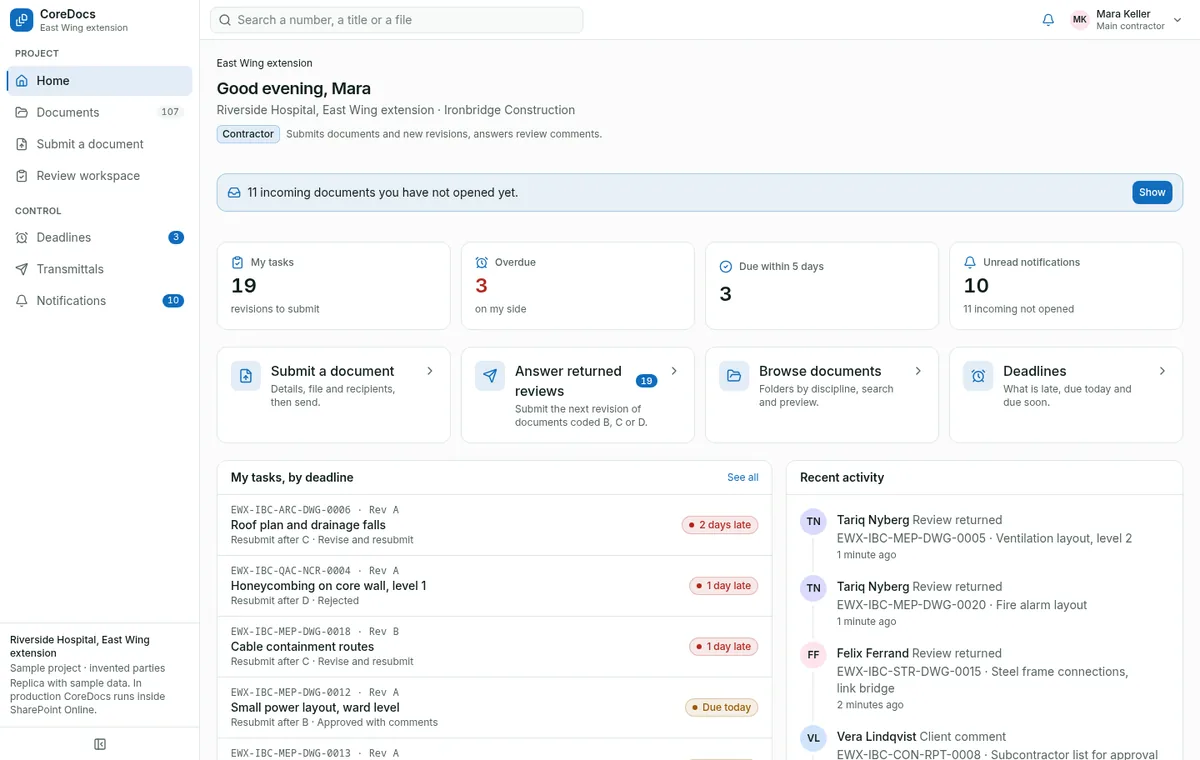
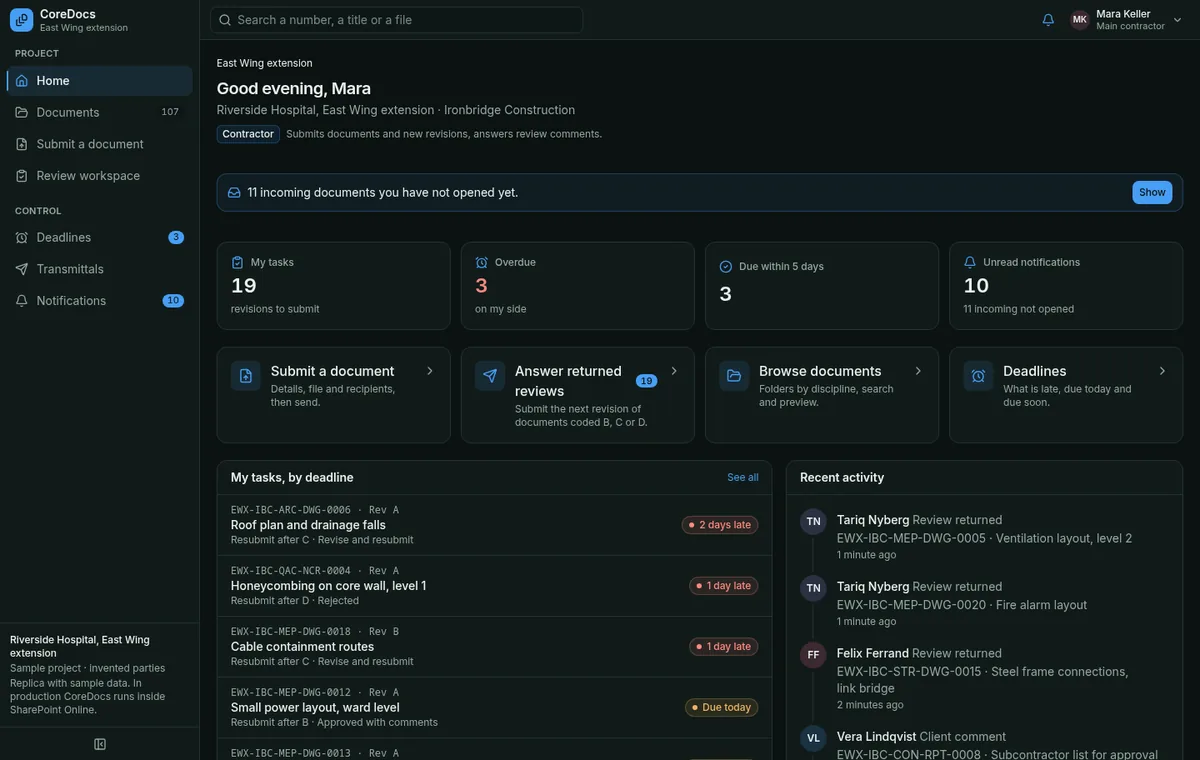
Document control for projects where several organisations submit, review and approve files: who sent what, to whom, when, and what was answered.
Where it runs
- Today, in production
- SharePoint Online (SPFx web part)
- Also delivered on request
- Power Apps appStandalone app in containers on your server or VPS
What it does
Guided submission
A guided submission with required metadata, duplicate detection and a preview of the review deadline.
Review workflow
Reviewers approve or return with remarks. Each resubmission is a new version; nothing is overwritten.
Transmittal register
A dated record of every exchange between parties.
Deadlines and alerts
Due dates follow rules you set per document type, with flags for what is late.
Role-aware workspace
Each party sees its own to-do list and only the documents it is entitled to.
Administration without code
Lists, roles, deadline rules and notifications are configured by an administrator.
Who it suits
Engineering, construction and infrastructure projects; any organisation with formal review cycles.
What it does not do yet
In production today it runs inside SharePoint Online. The Power Apps and standalone editions are delivered on request, set up for your deployment: they are not off-the-shelf downloads.
AI connection
Connect your AI agent
Connect your agent or AI assistant to CoreDocs through a secure MCP server: it reads your data within its permissions, does real work and produces custom reports.
Option delivered with your deployment
What an agent can read
- The document register: numbers, titles, revisions, statuses and metadata
- Transmittals, review codes and comments, with their dates
- Deadlines, what is late and who it is waiting on
- Each document’s audit trail
What it can do
- Send reminders to the parties whose reviews or resubmissions are late
- Prepare the metadata of a new submission from its title block, for a person to check and send
- Answer questions about a document’s history, citing the transmittals
Custom reports, for example
- Overdue reviews by party and discipline, every Monday
- Review turnaround per document type over the last quarter
- Documents returned with code C or D more than once
Delivered with your deployment
Scoped tokens
One token per agent, with only the permissions you tick and an expiry date. Revoked in one click.
Per-role permissions
An agent never sees or does more than the role it acts for.
Audit log
Every call is recorded: which agent, which tool, what changed, allowed or refused.
Your model, your provider
Any assistant or agent platform that speaks MCP, with the model and provider you choose, including one you host.
Try it in the interactive demo: open “AI connection” in its menu
Would CoreDocs fit your process?
Book a 30-minute intro meeting: we show the real application and look at how your team works today.