Learning portal
CoreLMS
Your courses, for the learners you choose, and no one else.
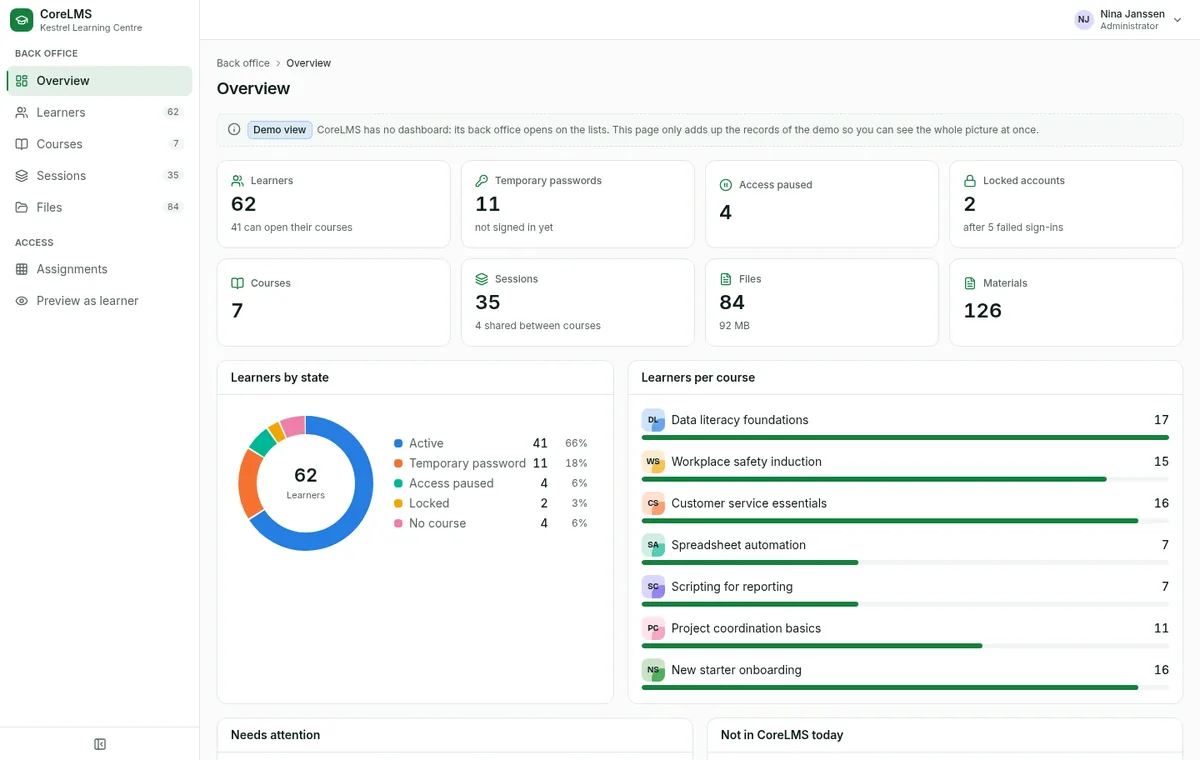
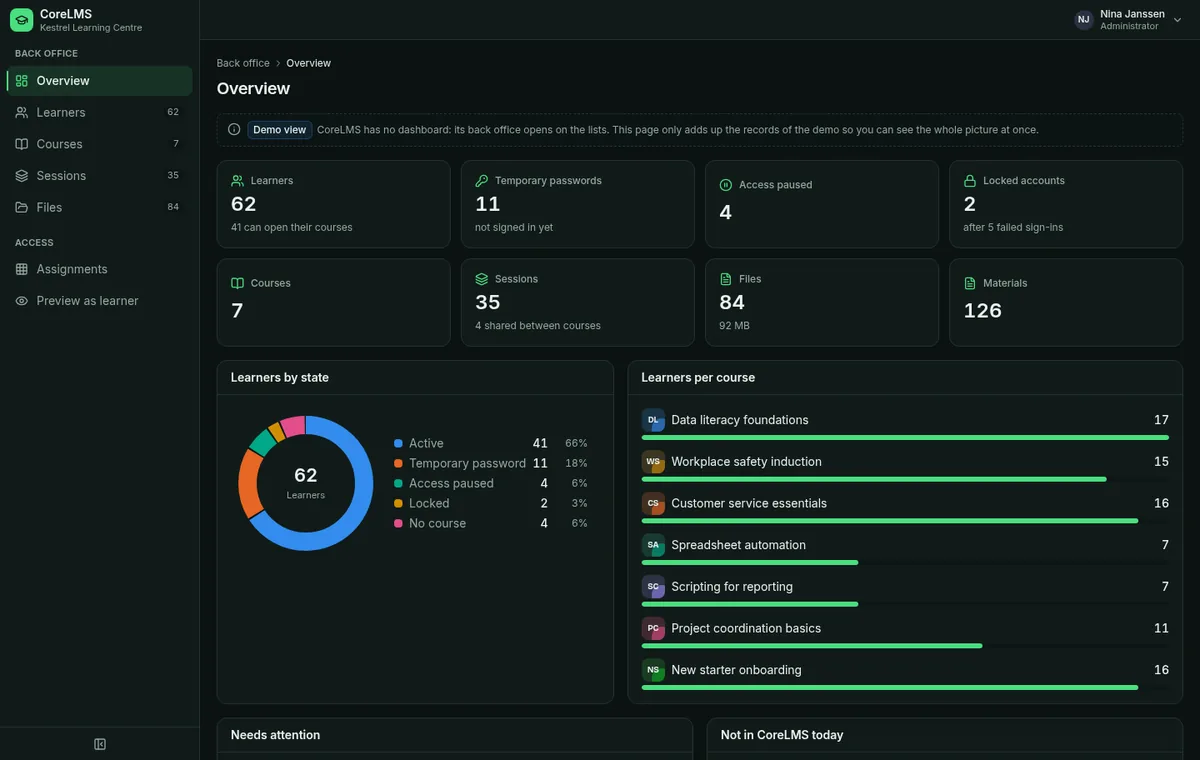
A private learning portal with its own back office: you build courses from sessions, create learner accounts, decide who sees which course, and can pause anyone’s access at once. Learners use it in the browser or install it on their phone.
Where it runs
- Today, in production
- Your server or one we manage (Docker)
What it does
Courses made of sessions
Each session holds files, links, notes and copyable code. Sessions can be shared between courses, copied or hidden without being deleted.
Accounts issued by an administrator
The administrator generates a temporary password; the learner must replace it at first sign-in. Repeated failed sign-ins lock the account for a while.
Assignment from either side
Give a learner several courses, or open a course and add learners in bulk. Both screens edit the same list, so they never disagree.
An access switch per account
Pause an account and its pages and files close at the next click, even in a session that is already open.
Protected course files
Documents and interactive HTML packages sit in private S3-compatible storage and are served only to learners assigned to the course, with a file manager for the administrator.
Preview as a learner
An administrator sees exactly what a given learner sees, without knowing or changing their password.
Who it suits
Training centres, exam preparation and companies that give a closed group of people access to course material.
What it does not do yet
No progress tracking, grading or certificates yet, no self-registration or payment, and no password reset by email: an administrator issues a new temporary password.
AI connection
Connect your AI agent
Connect your agent or AI assistant to CoreLMS through a secure MCP server: it reads your data within its permissions, does real work and produces custom reports.
Option delivered with your deployment
What an agent can read
- Learners, courses and who may open what
- Account states: active, paused, locked or still on a temporary password
- Sessions and the materials they hold
What it can do
- Create learner accounts from a list and assign their courses
- Pause or restore access, for example at the end of a cohort
- Draft a session outline from your own notes, hidden until an administrator publishes it
Custom reports, for example
- Who has access to which course, as a table for the training manager
- Accounts never used or still on a temporary password
- Content inventory: sessions, files and hidden items per course
Delivered with your deployment
Scoped tokens
One token per agent, with only the permissions you tick and an expiry date. Revoked in one click.
Per-role permissions
An agent never sees or does more than the role it acts for.
Audit log
Every call is recorded: which agent, which tool, what changed, allowed or refused.
Your model, your provider
Any assistant or agent platform that speaks MCP, with the model and provider you choose, including one you host.
Try it in the interactive demo: open “AI connection” in its menu
Would CoreLMS fit your process?
Book a 30-minute intro meeting: we show the real application and look at how your team works today.