Timesheets and invoicing
CoreTime
Working name; it may change.
From a month of work to a signed timesheet and an invoice.
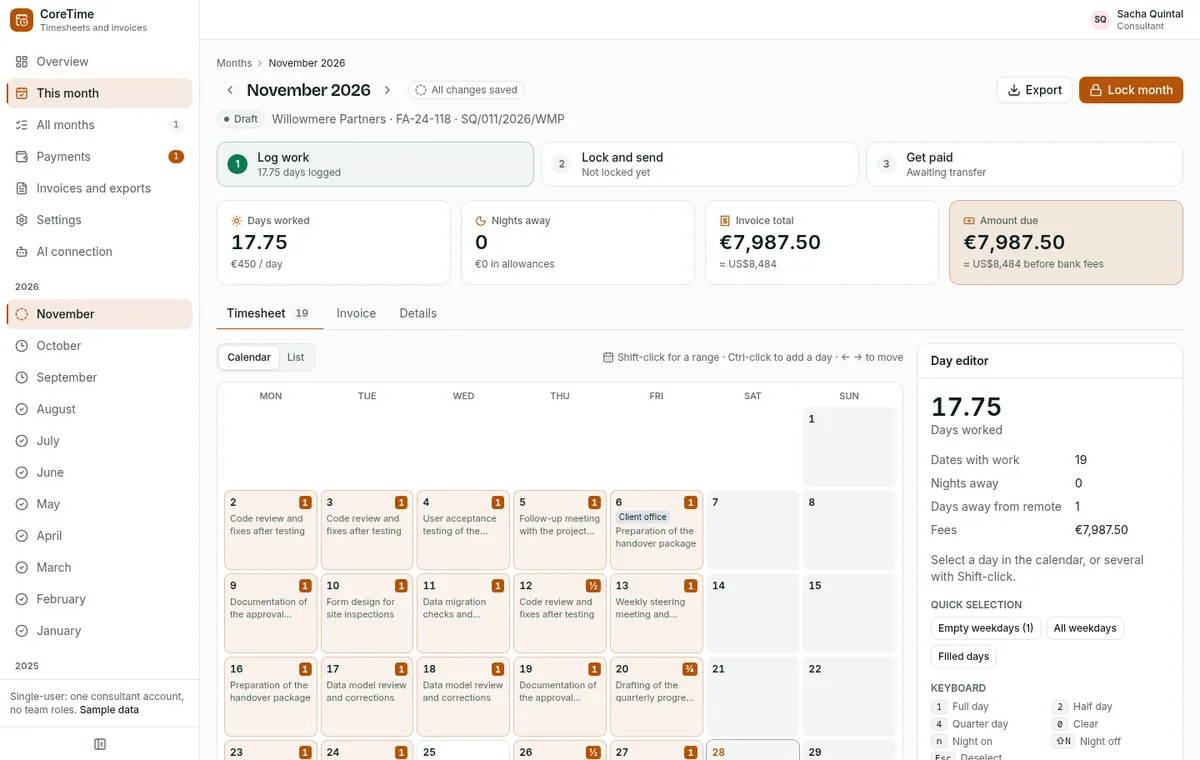
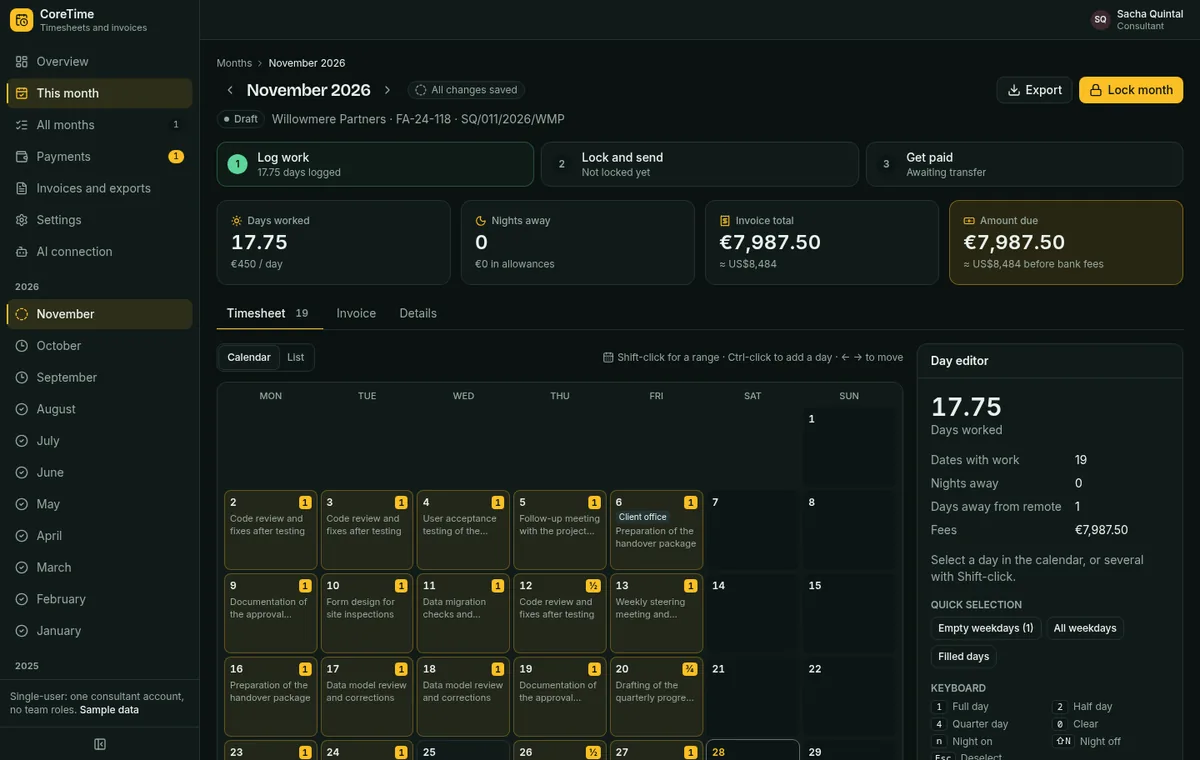
Log days, part-days, nights away and expenses; export the timesheet and invoice your client expects, in English or French. The solo edition, for one consultant, is in daily use. A team edition, with approvals and payroll exports, is a planned extension.
Where it runs
- Today, in production
- Standalone web app on your server or VPS (Docker)
- Also delivered on request
- SharePoint Online (SPFx web part)Power Apps app
What it does
Month grid
One click per day: full, half or off. Totals update as you go.
Nights and expenses
Travel nights and expense lines sit next to the days they belong to.
Excel and PDF exports
Timesheet and invoice in the layout your client asks for, with your signature.
Two currencies
See estimates in the billing currency and in your own.
Assistant access
An optional MCP endpoint lets your AI assistant read and fill your timesheet.
Backup and import
Export everything as a file and restore it elsewhere.
Who it suits
Freelancers and consultants today (solo edition). Teams that need approvals and payroll exports: the team edition is planned.
What it does not do yet
The solo edition has one user. Multiple accounts, manager approval and payroll exports belong to the team edition, which is planned and not available yet; anything about teams in the demo is labelled as planned.
AI connection
Connect your AI agent
Connect your agent or AI assistant to CoreTime through a secure MCP server: it reads your data within its permissions, does real work and produces custom reports.
In the product today
What an agent can read
- Months: days worked, nights away, activities and expenses
- The dashboard: totals by month and year
- Payments received and what is still unpaid
What it can do
- Fill in days and activities from your notes or calendar
- Correct activity descriptions and invoice details
- Record a payment and match it to its invoice
- Export the timesheet and the invoice
Custom reports, for example
- Unpaid invoices and how long each has been waiting
- Days and amounts per quarter, ready for your accountant
Security in CoreTime today
- One access token, set on your server. Until it is set, access for external assistants stays off.
- Locked months refuse every change, from the interface and from an assistant alike.
- Every change made through it is kept in the month’s history, marked as coming from the assistant.
- Your model, your provider: any assistant that speaks MCP.
Scoped tokens per agent with an expiry date, per-role permissions and an audit log of every call, allowed or refused, as in the MCP servers we deliver with our other products.
The MCP server is in the real app today, with tools such as list_months, get_dashboard, set_entries, record_payment and export_documents. Bearer access for external assistants stays off until a token is set on the server. Tokens per agent with their own permissions, and a log of refused calls, are planned with the team edition.
Try it in the interactive demo: open “AI connection” in its menu
Would CoreTime fit your process?
Book a 30-minute intro meeting: we show the real application and look at how your team works today.